Pinterest App Download vs. Online Downloader: Which Should You Use?
Short answer: Use the Pinterest app's built-in download when you want the official route and don't mind a watermark — it only works on pins where the creator enabled downloads. Use an online downloader when you want the clean, watermark-free file, or when the pin has no download button at all. They're not really competitors; they solve different problems. Here's the full head-to-head so you can pick the right one in five seconds.
Frequently asked questions
Is it better to download from the Pinterest app or an online downloader?
It depends on your priority. The app is official and one-tap but adds a watermark and only works on creator-enabled pins. An online downloader gives you the clean, watermark-free file from any public pin with quality choices. For casual saves, the app is fine; for quality, the downloader wins.
Why doesn't the Pinterest app have a download button on every video?
Creators can disable downloads on their pins. When they do, the button simply doesn't appear. Online downloaders work around this by fetching the public file directly — which is also why they don't add watermarks.
Do online Pinterest downloaders add watermarks?
Reputable ones don't. They deliver the source file exactly as Pinterest hosts it — and Pinterest doesn't bake watermarks into its video files. (Our watermark guide explains where watermarks actually come from.)
Can I download Pinterest videos on desktop without the app?
Yes — that's one of the online downloader's advantages. Pinterest's website has no download button, but pasting a pin link into a downloader in any desktop browser works fine.
Is using an online downloader against Pinterest's rules?
Pinterest's terms favor its own features and don't bless third-party downloading. The practical reality: fetching a public file for personal, offline use is the tolerated use case these tools serve. Keep it personal, respect creators' rights, and don't redistribute — our copyright guide covers the details.
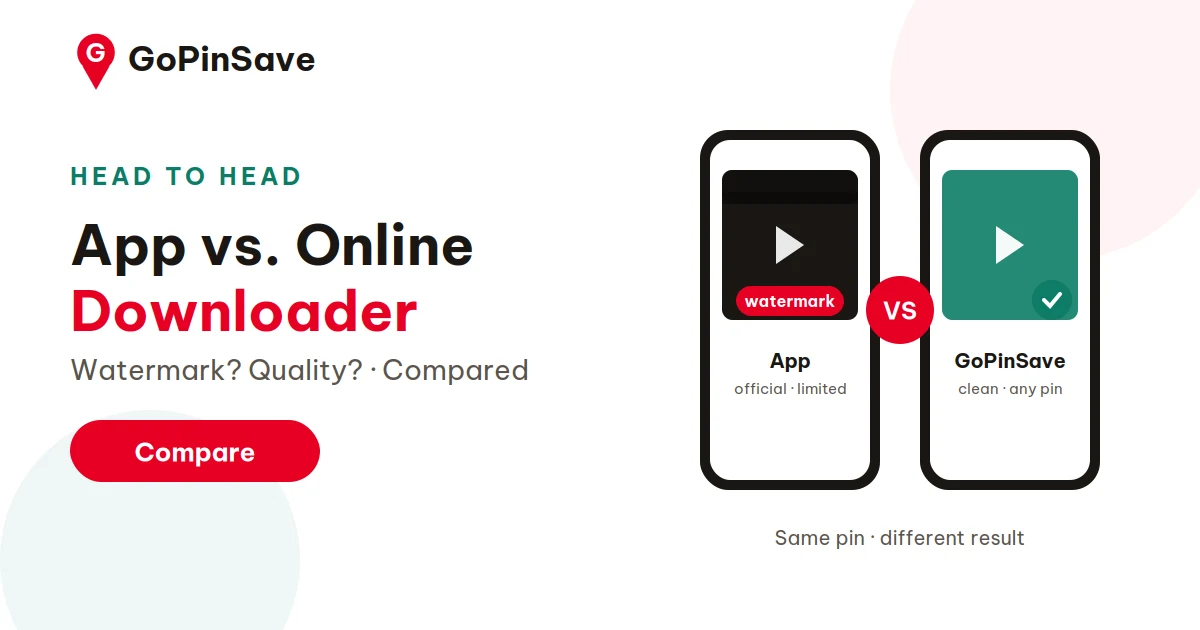
Short answer: Use the Pinterest app's built-in download when you want the official route and don't mind a watermark — it only works on pins where the creator enabled downloads. Use an online downloader when you want the clean, watermark-free file, or when the pin has no download button at all. They're not really competitors; they solve different problems. Here's the full head-to-head so you can pick the right one in five seconds.
Most people discover this choice by accident: they tap around the Pinterest app looking for a save button, find one on some pins but not others, and wonder what the online tools are for. Let's make it deliberate.
Head-to-head comparison
| Pinterest app download | Online downloader (e.g. GoPinSave) | |
|---|---|---|
| Watermark | Yes — creator's username stamped on the video | No — the file as Pinterest hosts it |
| Availability | Only on pins where the creator enabled downloads | Any public pin |
| Account needed | Yes — you're in the app, logged in | No — paste a link, download |
| Quality control | Whatever the app gives you | You pick the rendition (1080p/720p/…) |
| Video formats | MP4 to camera roll | MP4, plus images, GIFs, carousels |
| Desktop | No download option on pinterest.com | Works in any desktop browser |
| Speed | Fast, one tap | Fast — paste link, one click |
| Official/supported | Yes, it's Pinterest's own feature | Third-party, but uses public data |
The Pinterest app's built-in download: pros and cons
Pros: It's official, it's one tap (Share → Download), and the file lands directly in your camera roll with no Files-app detour. If the button is there, it's the path of least resistance.
Cons: Three of them, and they're significant. First, the watermark — the app stamps the creator's username onto the video, permanently. Second, availability — the creator can disable downloads, and many do; on those pins there's simply no button. Third, no quality choice — you get what the app decides to give you.
The app download is Pinterest saying: "we'll let you take this, but on our terms — credited, and only when the creator agrees." That's a respectable position. It's just not always what you need.
The online downloader: pros and cons
Pros: No watermark (you get the source file as hosted), works on any public pin regardless of the creator's download setting, lets you choose quality, handles images/GIFs/carousels too, and needs no account or app install. It also works on desktop, where Pinterest offers no download option at all — handy if you do serious saving sessions at a computer (see our desktop guide).
Cons: It's a third-party tool, so you're trusting someone else's site — stick to reputable ones that don't ask for logins or installs. On iPhone, downloads route through the Files app rather than straight to Photos (a two-tap fix). And the responsibility for respectful use sits with you: the tool gives you the clean file, and copyright still belongs to the creator.
Which should you use? (The five-second version)
- Quick reference on your phone, watermark doesn't matter → app download.
- Clean file, no username stamped on it → online downloader.
- No download button on the pin → online downloader (it's your only option).
- Saving on a computer → online downloader (the app feature is mobile-only).
- Highest quality available → online downloader (pick the top rendition).
- Images, GIFs, or multi-image pins → online downloader (the app button is video-only and inconsistent).
In practice, most people end up using both: the app button for casual "save this to show someone later" moments, and GoPinSave when the file itself matters — clean, full-quality, and exactly as hosted.
A note on trust
Whichever route you choose, the safety rules are the same: never enter your Pinterest password into a downloader site, never install a "downloader app" from outside the official app stores on a tool's say-so, and treat any site promising things Pinterest can't deliver (4K! private boards!) as a red flag. Legitimate tools work with public links and ask for nothing else.
The desktop gap (and why it matters more than you think)
Here's an underappreciated point: Pinterest's website has no download button at all. The official download feature is mobile-app-only. So if you do your serious Pinterest work on a computer — designers collecting references, marketers researching, anyone with twenty tabs open — the app isn't even an option. The online downloader isn't the alternative on desktop; it's the only route.
Desktop also changes the ergonomics in the downloader's favor: batch link collection across tabs, proper file management, drag-and-drop into editing tools. The desktop workflow turns what feels like a phone chore into a fast research pipeline. If you've only ever saved pins on mobile, try one desktop session — the speed difference surprises people.
Myths worth retiring
- "Online downloaders are illegal." Tools that fetch public files for personal use operate in the same tolerated zone as the personal-use downloads described in our copyright guide. What's illegal is redistribution without permission — regardless of method.
- "The app version is higher quality." Both pull from the same source files. The app just doesn't let you choose which rendition you get.
- "Downloaders steal your data." Reputable ones ask for nothing — no account, no install, no permissions. The data-hungry ones are the sketchy ones; the tell is always what they ask for, not what they do.
- "You need the app installed to use a downloader." No. A browser is the whole requirement. The downloader never touches your Pinterest account.
Try the clean route: Skip the watermark — paste any public pin link into GoPinSave and download the original file, free, no account needed.
The bottom line
There's no rivalry here — just two tools with different jobs. The app's download button is Pinterest protecting its creators: official, instant, credited, and limited to what creators allow. The online downloader is the power tool: clean files, any public pin, your choice of quality, desktop-friendly. Knowing which job you're doing is the whole decision. And whichever you pick, the file that lands on your device is only the beginning of the story — what you do with it afterward (personal reference vs. public repost) is where the real choices live. Download deliberately, credit generously, and you'll never have to think twice about either button.