Pinterest Video Formats Explained: MP4, HLS, and What You're Actually Downloading
Short answer: Standard Pinterest video pins are MP4 files (H.264 video with AAC audio) — the most universally compatible format in existence. Multi-page Idea Pins are the exception: their video is delivered as HLS streams, which is a playlist of chunks rather than a single file. Images are JPEG, PNG, or WebP. Those are the only formats in play, and once you know which one you're dealing with, every download quirk makes sense.
Frequently asked questions
What format are Pinterest videos downloaded in?
MP4, with H.264 video and AAC audio — for standard video pins. Idea Pins are the exception: they stream via HLS (.m3u8 playlists) rather than single files.
What is an m3u8 file and why did my video download as one?
An .m3u8 file is an HLS playlist — a text file listing video chunks, not a video itself. It happens with Idea Pins and other streamed content. See our m3u8 guide for what to do about it.
Will Pinterest MP4s play on my iPhone/Android/TV?
Yes. MP4 with H.264/AAC is the most compatible video format there is — it plays natively on essentially every device and platform.
Why is my downloaded image a WebP instead of JPG?
Pinterest serves some images in Google's WebP format for efficiency. It opens in all modern browsers, phones, and editors. If legacy software needs JPG, a free one-step conversion handles it.
Do I need to convert Pinterest downloads before editing them?
No. MP4/H.264 drops straight into CapCut, Premiere, DaVinci Resolve, iMovie, and every other mainstream editor. No conversion step needed.
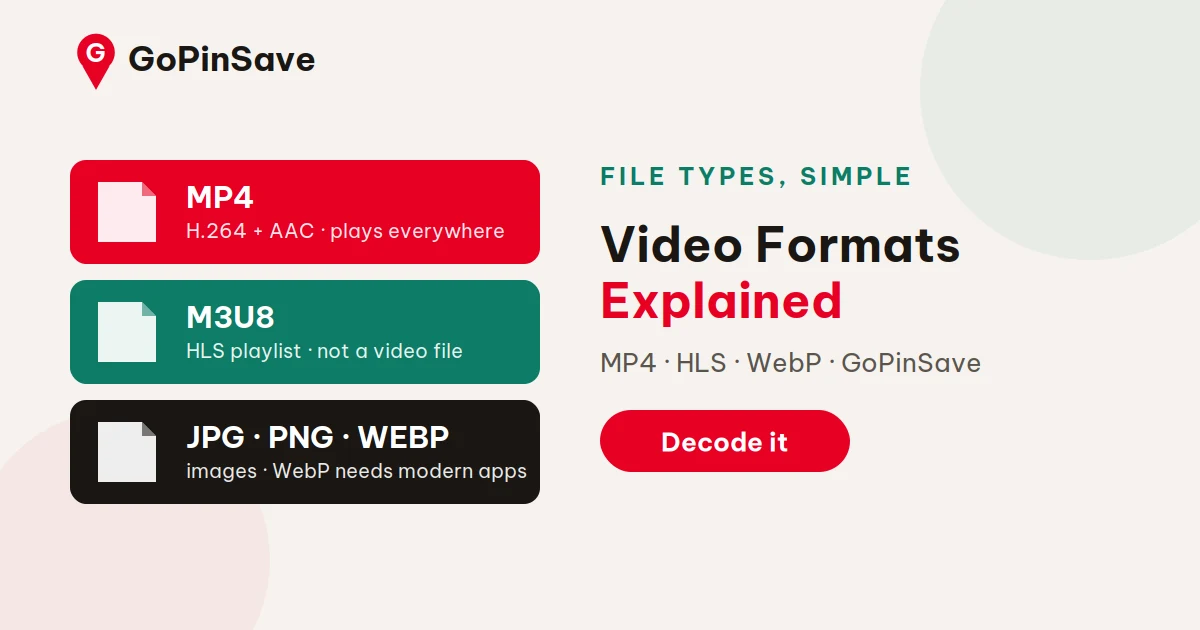
Short answer: Standard Pinterest video pins are MP4 files (H.264 video with AAC audio) — the most universally compatible format in existence. Multi-page Idea Pins are the exception: their video is delivered as HLS streams, which is a playlist of chunks rather than a single file. Images are JPEG, PNG, or WebP. Those are the only formats in play, and once you know which one you're dealing with, every download quirk makes sense.
File formats are one of those topics that sound boring until a download misbehaves — then they're suddenly the only thing that matters. Here's the plain-English version.
MP4: the standard video pin
When you download a normal video pin through GoPinSave's Pinterest video downloader, you get an MP4 file. Inside that container are two tracks:
- Video: H.264 encoding — the same codec behind most web video, Blu-rays, and phone recordings.
- Audio: AAC encoding — the standard audio codec for MP4.
This combination is why Pinterest downloads "just work" everywhere. MP4/H.264/AAC plays natively on iPhones, Android phones, Windows, Macs, smart TVs, game consoles, and every browser made in the last decade. You don't need converters, codec packs, or special players. If a device plays video at all, it plays these files.
The file you download is Pinterest's own served copy — not re-encoded by the downloader. Same codec, same quality, same compatibility as what Pinterest itself streams to you.
HLS (.m3u8): the Idea Pin exception
Idea Pins — Pinterest's multi-page format — don't hand you a single video file. Instead, the video is delivered via HLS (HTTP Live Streaming): the player receives a small playlist file (with an .m3u8 extension) that points to dozens of tiny video chunks, which it fetches and plays in sequence.
This is the same technology Netflix, YouTube Live, and Twitch use. It's excellent for adaptive streaming (adjusting quality to your connection mid-playback) and terrible for "right-click, save as." An .m3u8 file isn't a video — it's a recipe for assembling one. Download the playlist alone and you get a few kilobytes of text, not a watchable clip.
That's why "my Pinterest video downloaded as m3u8" is such a common complaint, and why it clusters around Idea Pins specifically. Our m3u8 troubleshooting guide covers what to do when it happens — including how to tell whether you're dealing with a stream or a regular file.
The practical bottom line: HLS streams can sometimes be converted to MP4 with dedicated tools (ffmpeg handles it), but multi-page Idea Pins add ordering and overlay complications that make clean conversion unreliable. We don't promise what we can't deliver — see our Idea Pin limitations guide for the full picture.
Images: JPEG, PNG, WebP
Pinterest images come in three flavors:
- JPEG — the vast majority of photos and illustrations. Great compression, universal support.
- PNG — graphics with transparency or sharp text, less common but fully supported.
- WebP — Google's modern format; smaller files, slightly less universal (though every current browser and phone handles it).
If you download an image and your old software chokes on WebP, that's the one format edge case worth knowing. The fix is trivial: open it in any modern browser and re-save, or run it through a free converter. For everyday use — sharing, mood boards, references — all three work everywhere that matters.
GIFs: usually MP4 in disguise
As we explain in our GIF saving guide, most animated "GIFs" on Pinterest are actually short looping MP4 videos. Pinterest converts uploads to video for better compression. Functionally this is great news (smaller, sharper), and it only matters when a destination specifically demands the .gif extension — in which case a quick conversion does the job.
Quick reference
| Pin type | What you download | Plays on |
|---|---|---|
| Standard video pin | MP4 (H.264 + AAC) | Everything |
| Idea Pin video | HLS stream (.m3u8 playlist + chunks) | Stream players; conversion varies |
| Photo/illustration | JPEG, PNG, or WebP | Everything (WebP needs modern software) |
| Animated "GIF" | Usually looping MP4 | Everything |
How to inspect a downloaded file yourself
Curious what you actually got? You don't need technical tools — just look:
- On desktop: right-click the file → Properties (Windows) or Get Info (Mac) shows the container and size. For the full codec story, open it in VLC → Tools → Codec Information: you'll see H.264 + AAC staring back at you on any standard Pinterest download.
- On mobile: the Files app (iPhone) or file manager (Android) shows the extension and size. If a video plays in your gallery with no fuss, it's the standard MP4 — exotic formats announce themselves by not playing.
- The m3u8 tell: if the "video" you downloaded is a few kilobytes and won't play anywhere, open it in a text editor. You'll see URLs and
#EXTM3Utags — that's the playlist, not the video. Time for the m3u8 guide.
This two-minute inspection habit also protects you from bad tools: if a downloader claims "HD MP4" but hands you a 12 KB text file, you know instantly something's off.
What about MOV, AVI, and other formats?
You won't get them from Pinterest, and that's fine. Pinterest normalizes everything to its own pipeline (MP4/H.264 for video) at upload time — the MOV your iPhone recorded or the AVI from an old camera gets transcoded before it ever becomes a pin. What you download is always Pinterest's normalized version, which is precisely why compatibility is never an issue. If your editing workflow needs a different format, convert after downloading; the source file you get is the cleanest starting point.
Download the real file: GoPinSave fetches Pinterest's own MP4 — H.264 + AAC, no re-encoding — so it plays everywhere, straight away.
The bottom line
Formats feel like trivia until they explain a failure — and then they're the whole story. The m3u8 that "won't play," the GIF that "lost its animation," the WebP that "won't open": every one of these is a format behaving exactly as designed, encountered by someone who expected something else. Pinterest's real format list is short — MP4, HLS, JPEG/PNG/WebP, and video-disguised-as-GIF — and now you can identify each one on sight. That literacy pays off beyond Pinterest too — the same containers and codecs run the rest of the web's video. Download the right thing, recognize it when you see it, and the mysterious failures stop being mysterious.